
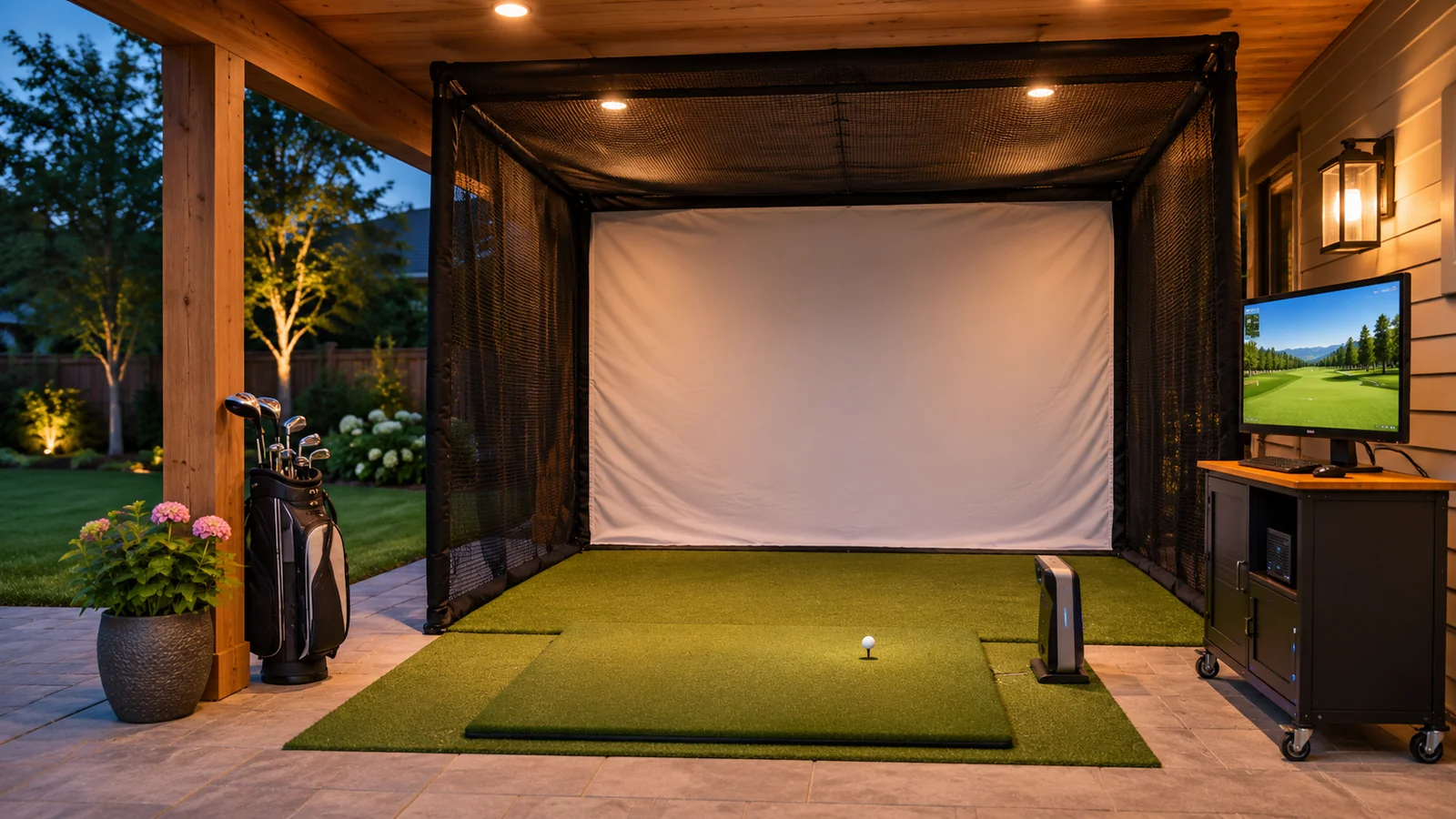
An outdoor golf simulator can be as simple as a portable launch monitor and safe practice net, or as elaborate as a covered projection station with a hitting mat, computer and removable impact screen. Those two approaches should not be compared as the same product. Outdoors, sunlight, rain, wind and the property boundary become major buying factors. A launch monitor marketed for outdoor use does not make a projector or indoor enclosure weatherproof.
Quick answer: For most outdoor-first golfers, begin with a manufacturer-approved range-capable launch monitor plus a properly rated net and stable mat, using a phone or tablet for feedback. Add projection only if a protected area, suitable screen, lighting and safe electrical installation make it practical. Choose equipment whose maker explicitly allows its intended outdoor conditions.
Outdoor setup options
| Setup | Best for | Main limitation |
|---|---|---|
| Portable launch monitor + safe net | Backyard practice and carry feedback | No large course image |
| Monitor + net + tablet | Detailed practice with minimal infrastructure | Device glare, weather protection and charging |
| Covered screen + projector + monitor | Evening or sheltered simulator play | High installation and electrical complexity |
| Temporary pop-up cage | Shared yard with occasional sessions | Assembly, anchoring and weather exposure |
Choosing an outdoor-capable launch monitor
Some rear-positioned radar units are designed for the driving range and can work outdoors when positioned according to their manuals. Examples in our existing research include Garmin Approach R10, FlightScope Mevo Gen2, Rapsodo MLM2PRO and Full Swing KIT. Their exact rear offsets, ball-flight requirements and app entitlements vary. A side-camera indoor device like Square Golf Home is not an outdoor substitute; its manufacturer warns against direct sunlight.
Evaluate portability, battery, screen readability, setup speed and whether the app requires a strong internet connection. A monitor that produces useful ball speed and carry trends may be enough without a projector. If a particular advanced metric depends on patterned balls or an annual membership, verify that before setting your budget.
An outdoor net is a safety system
Choose a net rated for real golf-ball impacts, with adequate width, height, top/side catching and anchoring appropriate to the manufacturer’s instructions. A large face does not guarantee it catches every shank or high wedge. The position must account for what lies behind and beyond the net: windows, vehicles, neighboring gardens, walkways and people. Never assume a fence is a safe backstop.
Weather changes the setup. Wind can shift a temporary frame; wet netting or damaged anchors can change its behavior. Inspect before every session, stop if any part is torn or loose and remove or secure equipment when the manufacturer advises. Do not keep swinging at a net that has visibly failed once.
Net versus impact screen
A practice net is generally the simpler outdoor choice when the primary goal is measured shots. An impact screen is needed for projection, but not all screen fabrics are designed for extended sunlight, rain or wind exposure. Verify outdoor use, mounting method, tension, rebound management and cleaning guidance from the fabric manufacturer. A screen that looks bright in a shop may be washed out in daylight.
If you want full-course projection, consider using a sheltered dusk/evening setup rather than assuming an ordinary home projector will overcome direct sun. Check ventilation for any protective projector housing and avoid enclosing equipment in a way that causes overheating or violates manufacturer safety guidance.
Mat selection for grass, patio or concrete
A mat must stay level and secure on its intended surface. On grass, uneven ground can change ball height and stance. On patio or concrete, a thin mat may slide or feel harsh under repeated strikes. Choose a mat with the backing and thickness appropriate to the location, and consider a replaceable hitting strip for frequent use.
The ball should remain within the launch monitor’s documented area. If your stance surface and striking surface are different heights, the difference can affect address. Keep footpaths clear of loose balls and cables, especially when children or guests share the yard.
Radar placement and full ball flight
Outdoor radar can benefit from a longer visible ball path, but each device must still be aligned and positioned as specified. Full Swing, for example, publishes about ten feet behind the ball for KIT outdoors. A backyard arrangement may not offer that much protected space behind the golfer, even when the ball has plenty of forward room.
Do not place a radar device where another person might walk or where a mis-hit could strike it. Avoid assuming outdoor space automatically removes the need for a net; nearby property and bystanders remain safety concerns. If no safe containment route exists, a public range is a better venue.
Sunlight and video tracking
Bright natural light is useful for visibility but can make phone screens harder to read. It can also interfere with certain optical sensors. Check whether the monitor is specified for outdoor use and whether the manual gives requirements for shadows, ball markings or background. Protective umbrellas or shades should not obscure the radar/camera view or create extra obstacles in the club path.
If filming swings, consider where the sun sits relative to the golfer and where other people are standing. Video angle and contrast can vary through the day, reducing the usefulness of comparisons across sessions. Privacy and venue permission still apply if you use a shared practice area.
Weatherproofing and electric safety
A rechargeable monitor can reduce outdoor cable clutter, but a projector or PC changes the risk. Outdoor electrical circuits, weatherproof outlets, protection from water and correct grounding are jobs for qualified local professionals. Never run an ordinary indoor power strip across a damp lawn to create a temporary projector booth. Follow the device’s operating temperature, humidity and storage limits.
If the setup is temporary, make a packing checklist and bring equipment indoors after use. Prolonged UV exposure, dust, condensation and sudden rain can damage electronics and soft goods even when a seller’s marketing photos show them outside.
Daylight projection: set expectations before purchase
Projector brightness is often expressed in lumens, but there is no universal brightness number that guarantees a clear golf-simulator picture in direct daylight. Screen gain, shaded surroundings, picture size, ambient light and projector optics all affect usable contrast. A bright projector may still look faded on an uncovered outdoor impact screen.
If daytime visibility is non-negotiable, consider a protected display setup permitted by the location rather than buying a projector based solely on a high lumen figure. A tablet or shaded monitor can be a more economical feedback device for practice.
Outdoor go/no-go checklist
- Net, frame and anchors are intact and installed for the actual surface.
- Likely misses stay inside the catching and side/top protection area.
- No person or animal can enter the hitting lane; adjacent property is protected.
- Wind, moisture and temperature remain inside every item’s approved use conditions.
- Ball flight, sensor distance and marked-ball rules match the exact net-practice mode.
If one condition fails, stop the session. The earlier weather and sunlight sections explain the equipment limits; the checklist is a final inspection, not a substitute for them.
Two outdoor setup configurations
Practice-first build: Portable outdoor-approved launch monitor, rated net, mat and phone/tablet. This buys actual shot data with fewer components to store, power and protect. Any advanced paid app remains a separate budget line.
Covered evening simulator: Approved monitor, enclosure or impact screen, projector, computer, software subscription and suitable sheltered electrical installation. This is a bigger project whose cost depends on construction, screen rating and existing equipment, not just a launch monitor price. Use the full-system budget in How Much Does a Golf Simulator Cost? to avoid missing parts.
The practice-net guide compares containment formats. Read the Full Swing KIT review before budgeting for a premium radar in a temporary outdoor session.
Frequently asked questions
Can I use an indoor golf launch monitor outside?
Only if its manufacturer approves outdoor operation. Square Golf Home, for example, is specified as indoor-only, and should not be used in direct sunlight.
Does an outdoor simulator require a projector?
No. A monitor paired with a safe practice net and phone can deliver meaningful shot data. Projection is optional and adds cost and weather challenges.
Can I leave a golf impact screen outside?
Only if the screen manufacturer specifies compatible weather and storage conditions. Moisture, UV damage and wind can affect fabric and fittings.
Is a backyard net always safe?
No. The net must be suited to real golf balls, installed and maintained properly, and positioned so mishits do not endanger people or property.
Final recommendation
Start outdoors with reliable ball containment, a range-approved monitor and a stable hitting surface. Do not turn a straightforward practice setup into a costly projector installation until the property, light and electrical conditions justify it. For product selection, see Best Launch Monitors for Driving Ranges, Best Golf Practice Nets and Best Golf Hitting Mats.