

Under-$500 Monitors Compared
| Model | Primary reason to choose it | Core capability | What it cannot replace | Check Price |
|---|---|---|---|---|
| Shot Scope LM1 | Simple carry and speed | Five metrics, display, free app history | Full spin-and-path data | View on Amazon |
| Swing Caddie SC300i | Independent range feedback | LCD, audio, launch angle and apex | Simulated courses | View on Amazon |
| Swing Caddie SC200 Plus | Swing-speed drills | LCD, audio, ball-free swing mode | Video, app or shot-shape analysis | View on Amazon |
| PRGR HS-130A | Basic speed measurement | On-device speed-oriented radar feedback | Full simulator or fitting data | View on Amazon |
| Rapsodo MLM1 (original) | Budget swing-video review for iOS users | iPhone/iPad camera + radar | MLM2PRO-level hardware and feature set | View on Amazon |
Use the exact model and bundle in the comparison when checking offers. If its hardware price exceeds $500, it falls outside this budget at purchase time; the R10 remains a separate conditional upgrade.
1. Shot Scope LM1 — Best Everyday Value for Carry and Speed
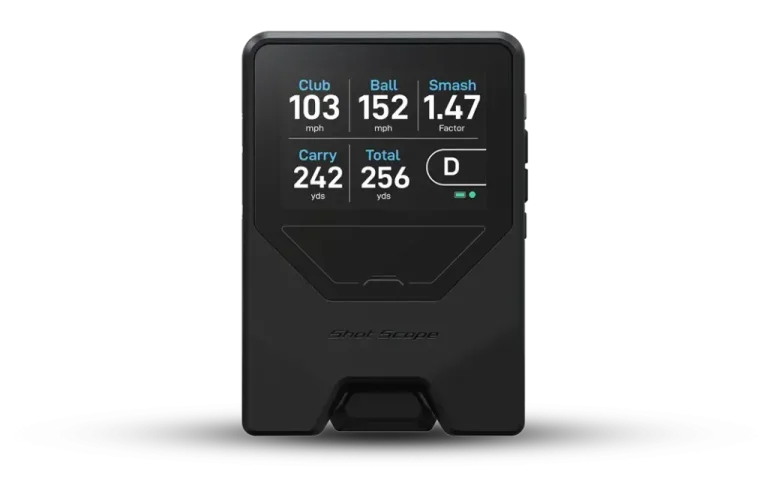
The Shot Scope LM1 is built around a small set of practical questions: how fast did the club move, how fast did the ball leave, and how far did it carry? It shows clubhead speed, ball speed, smash factor, carry and total distance. Session history is available through the Shot Scope app without a required subscription for its supported tracking experience, while a built-in color display means that you can obtain readings without holding your phone throughout the session.
An uncomplicated product has a genuine training advantage. You can work through a set of ten mid-irons, compare average carries and use the same routine next week. The device is more useful in that scenario than buying an advanced monitor but never learning the extra displays. The other side of that simplicity is a limited ability to interpret draw/fade patterns, launch angle, spin and face-to-path relationships. Those are not hidden advanced features waiting to be unlocked; they are outside the LM1’s intended measurement set.
The LM1 also offers a dedicated Speed Training Mode, which makes it more versatile than a carry-only unit. Manufacturer documentation places it about 1.5 meters behind the ball for ordinary monitoring. It can also be used for speed practice, though speed work and carry gapping are different tasks. Use normal struck shots for carry comparisons, record typical shots instead of cherry-picking best hits, and treat changes from session to session as trends rather than proof that each individual reading is exact.
Pros: clear display; easy practical core metrics; no necessary membership; approachable for golfers who dislike app complexity.
Cons: cannot power a full simulator; no spin or shot-curve analysis; not the right device for professional club fitting.
Buy it if: the goal is club gapping or basic feedback and you want to preserve budget for lessons, balls or a quality mat.
2. Swing Caddie SC300i — Best LCD Range Monitor Under the Cap
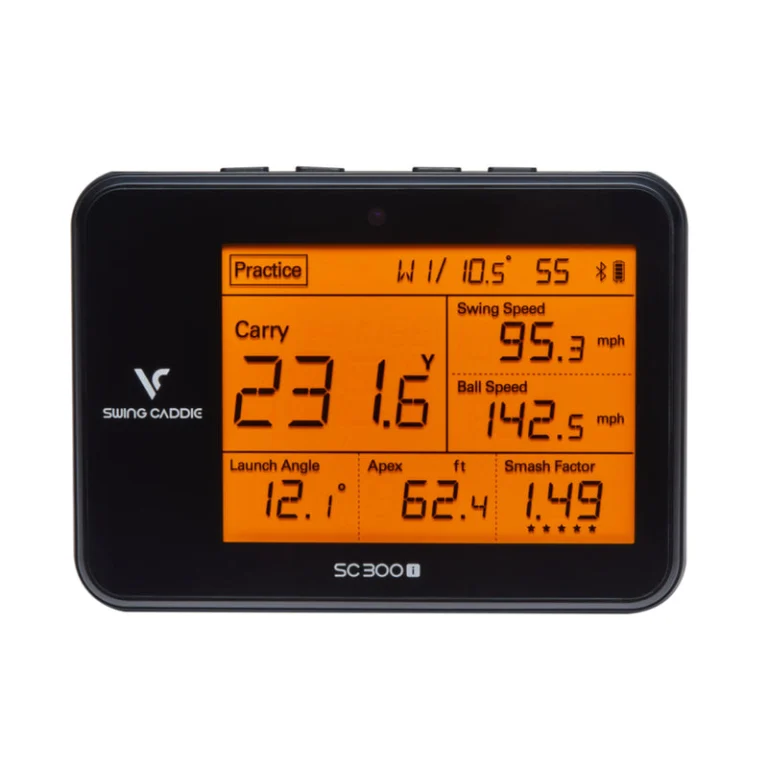
The Voice Caddie SC300i offers a richer standalone range experience than most basic radars. It has a screen and remote, voice readouts, launch angle, apex and the key speed and distance figures; its compatible MySwingCaddie app adds historical analysis and in-app spin-related information. Its manufacturer describes up to twenty hours of battery life under suitable conditions, which is useful for golfers who leave a monitor in a golf bag between frequent sessions.
The SC300i’s value is most apparent when you want to collect repeatable data quickly. Position the unit around five feet behind the ball, choose a club, hit a block of shots and compare averages. Golfers practicing launch-window changes may get more from the reported launch and apex data than they would from a minimalist speed-only product.
However, the SC300i should not be confused with the SC4 Pro. Voice Caddie’s model comparison assigns simulator/E6 compatibility to the SC4 Pro rather than SC300i. Paying less for an SC300i and hoping to add virtual-course play later is therefore not a viable plan unless you intend to replace the hardware.
Pros: built-in screen and spoken results; launch angle and apex; optional app history; simple range workflow.
Cons: no full 3D simulator use; less detailed club data than advanced devices; smartphone useful for some functions.
Buy it if: you want regular launch-and-distance practice without having to build a home simulator. The linked model is SC300i; confirm seller, condition and actual price before buying.
3. Swing Caddie SC200 Plus — Best for Speed Training Without Hitting Balls
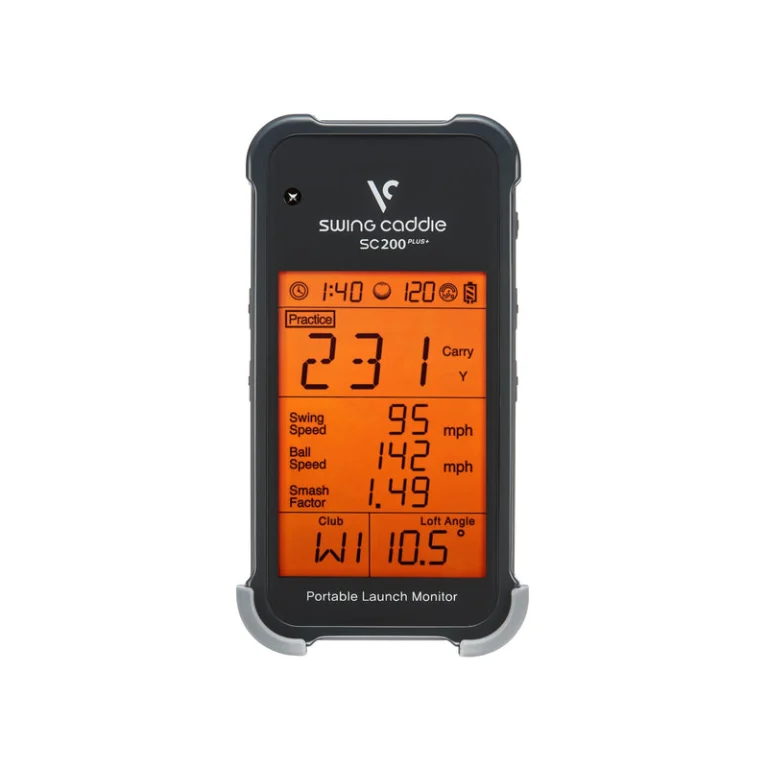
Some golfers buy a launch monitor because they are following a speed program: repeat a number of swings, rest, change effort, and see if the clubhead speed improves. The SC200 Plus accommodates that job with a designated practice swing mode. It also displays clubhead speed, ball speed, carry and smash factor when taking ordinary shots, along with spoken feedback and a remote.
The screen-based experience is appealing if a phone is a distraction or an inconvenience on the range. The SC200 Plus operates with AAA batteries, and the absence of a simulator pathway can actually be a benefit if you would never use one. The limitation is its reduced view of the ball’s flight: you are not getting launch angle, spin axis, impact video or a home-golf simulator at this price.
It is especially important to distinguish a faster swing from a better shot. A high speed reading during a rehearsal does not establish that the player will generate the same contact and distance with a struck ball. Use speed mode for speed and struck shots for carry analysis.
Pros: dedicated speed mode; no subscription; remote and audio feedback; quick no-phone sessions.
Cons: few metrics; no simulator integration or advanced shot-shape data; battery purchases over time.
Buy it if: speed-training sessions are your main reason to purchase. The linked model is SC200 Plus; verify the selected variant rather than a similar non-Plus SC200.
4. PRGR HS-130A — Best Minimalist Speed Monitor
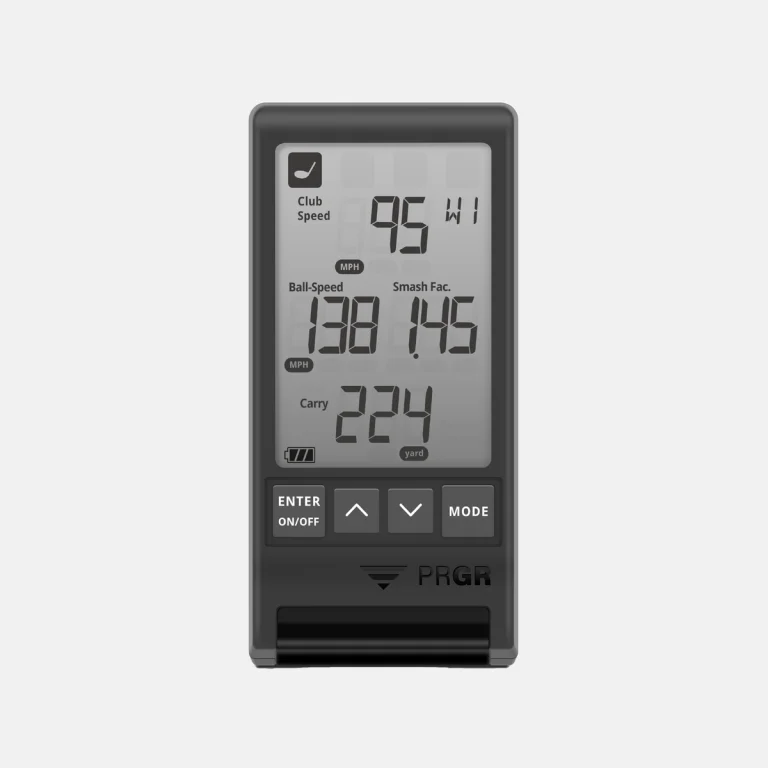
A PRGR pocket radar is useful in the same way a stopwatch is useful: the information is limited but directly relevant to the question. It is intended to provide speed-oriented feedback without an account, app or virtual course to maintain. For a golfer using weighted speed sticks or trying to compare swing tempos, straightforward measurements may be all that is needed.
There are important limitations. PRGR is not designed to provide the same detailed spin, launch direction and club-delivery analysis as the Garmin R10 or Rapsodo MLM2PRO. Its reading is also conditional on setup and what object is actually being tracked. Do not infer precise carry or shot dispersion simply because a speed number appears consistent. If your goal is analyzing why an iron curves to the right, this is the wrong class of tool.
Check the model name carefully. Older PRGR versions and imported listings can use similar product descriptions, and the maker has offered more than one HS-130 variation.
Pros: small and simple; speed-practice focus; no ongoing software cost.
Cons: not suited to simulator play, advanced fitting or deep flight analysis.
Buy it if: a basic swing-speed readout is the feature you genuinely need.
5. Rapsodo MLM1 — Best Budget Swing Video for Compatible Apple Devices
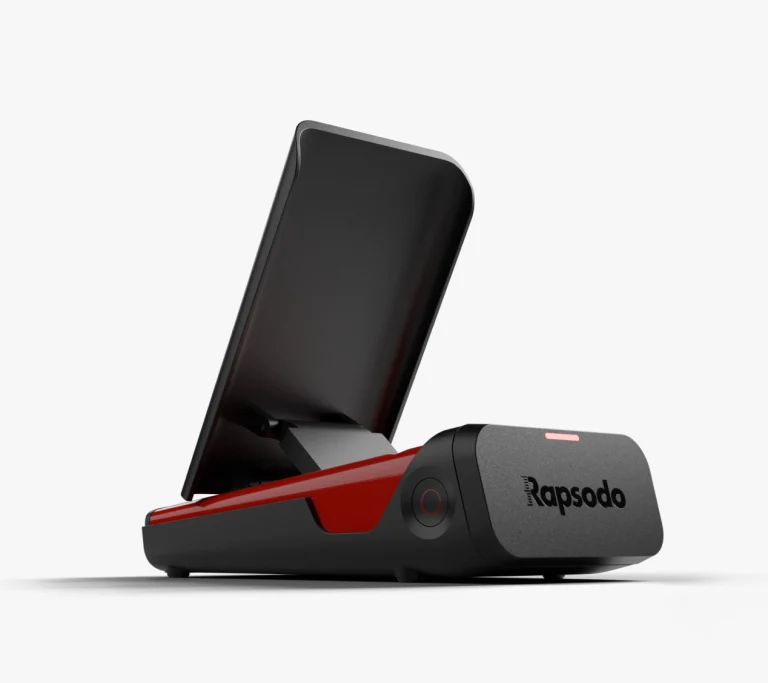
The original Rapsodo MLM1 takes a different approach from the standalone Swing Caddie units. Importantly, the manufacturer still lists the original MLM1 as a separate product in 2026; it must not be mistaken for the MLM2PRO or the newer MLM2XPRO. It pairs radar feedback with the camera on a compatible iPhone or iPad, making swing replay and shot-tracing part of the practice experience. If you already own a supported Apple device and find visual feedback more engaging than numbers alone, that can be appealing.
It is essential not to confuse the MLM1 with the MLM2PRO. They do not have the same cameras, metrics, spin measurement requirements or software ecosystem. The original MLM1 is documented as iOS-only, and its additional Premium features may require a separate plan. A golfer with an Android-only setup should not choose this just because the promotional video looks persuasive.
Manufacturer guidance also describes using the device around six to eight feet behind the player. That means an indoor net session requires both compatible hardware and enough depth to use the camera framing and radar correctly. For basic outdoors video analysis on a budget, the MLM1 can be attractive; for modern multi-camera impact review, detailed measured spin and advanced simulator features, the MLM2PRO is a different purchase.
Pros: swing video combined with shot data; accessible entry to review-based practice for compatible iOS devices; portable.
Cons: Apple-device requirement; limited compared with MLM2PRO; optional paid features; setup and camera framing take attention.
Buy it if: you have a compatible iPhone or iPad and specifically want budget video feedback, and you have confirmed that its current app requirements still work with your operating system. The linked model is original Rapsodo MLM1; stock, condition and seller remain to be checked.
Conditional upgrade – Garmin Approach R10
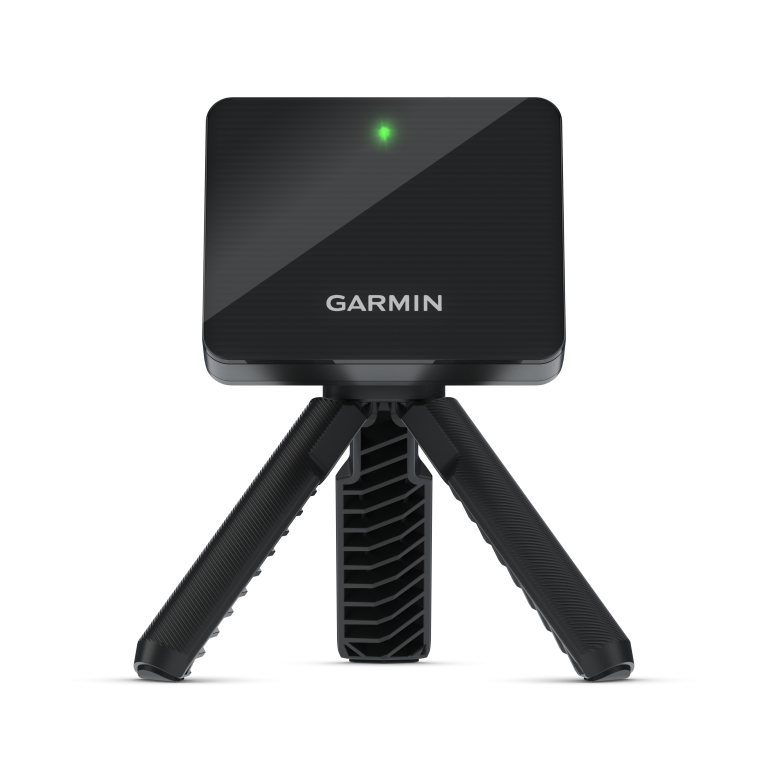
The Garmin Approach R10 stands apart from most inexpensive practice devices because its Garmin Golf connection supports a more developed training experience. You can examine launch and flight data, review shots in the app, and explore a simulator path rather than merely reading a number from a screen. It offers multiple ball and club metrics, including ball speed, clubhead speed, launch angle, carry, spin and club-path related values; the device’s measurements and modeled outputs should not be treated as equally precise under every condition.
This comes with two purchase tests. First, price: the R10’s original published suggested retail price was above $500. Some US retailers have advertised a lower sale price, but that does not establish what a new Amazon.com unit will cost when you order. Treat this as an eligible-on-sale alternative, not a default under-$500 recommendation. If your exact new Amazon US offer exceeds the threshold, choose another monitor from this list or compare our under-$1,000 guide. Second, space: make sure the hitting area is suitable. The official indoor recommendation is six to eight feet behind the ball and at least eight feet to the net, with adequate ceiling and side clearance. A buyer with only a short backyard net should not assume that the R10 will function correctly just because it is marketed as portable.
For ordinary range feedback the R10 is useful without a premium course subscription. For Home Tee Hero golf courses, Garmin Golf membership is a separate cost, as is some third-party simulator software. Garmin upgraded the Home Tee Hero experience in 2026; buying the hardware does not mean every new course or premium feature is included for life. This makes the R10 best for someone who will actually use its range data even when there is no virtual golf session planned.
Pros: the broadest practical capability here for many buyers; portable; worthwhile training history; simulator pathway if room and memberships permit.
Cons: relatively tight budget fit; requires the correct radar footprint; companion device for full experience; premium course features incur separate costs.
Buy it if: a new, eligible Amazon US unit is actually under $500 and you have the room and software budget for a simulator path. Skip it if: the listing is above the cap, your sole aim is tracking speed, or your space is too shallow for a rear-mounted radar.
What You Must Give Up Below $500
In most cases, the compromise is not merely fewer metrics—it is what the numbers can tell you. Ball speed, clubhead speed and estimated carry can help with speed training or gapping. They do not, by themselves, identify clubface angle, impact location, launch conditions or how much curvature is caused by spin axis. A golfer taking lessons may prefer to buy fewer features and spend the savings on instruction, while a golfer building a simulator may discover that a basic monitor cannot meet the software requirement at all.
Another compromise is stability of the whole system. If a premium membership expires, a connected product may lose course play or deeper data. If an older app stops supporting a phone operating system, the hardware may become less useful. A model with its own display provides some independence from this risk, although firmware and vendor support still matter. Decide whether you need an independent number at the range or an evolving software platform.
Budget products should also be compared on the routine, not the best demonstration. A screen that can be read outdoors in bright conditions, a mount that stays level on a mat, and an uncomplicated way to switch clubs may create more value than another calculated metric. Those are questions to consider when reading user reviews and product documentation, especially when independent controlled testing is unavailable.
Indoor Practice: Measure the Room Before Ordering
A short net does not erase radar requirements. The Garmin R10 calls for six to eight feet behind the ball and at least eight feet of forward flight; the SC300i and SC200 Plus are positioned approximately five feet behind. Users must separately leave room for a full backswing, follow-through, ceiling clearance and the net’s safe stopping distance. Manufacturer guidance is the minimum for measurement; the safe footprint can be larger.
Remember the surrounding environment. Metal shelving, vehicles, fans and reflective garage floors can affect radar. A poor installation can make an otherwise good device look unreliable. Level the monitor with the hitting area where required and use normal golf balls unless its documentation explicitly supports something else. Never hit real balls toward a screen or net that lacks adequate side protection, mounting clearance or padding.
Subscription and Ownership Costs
For the SC300i, SC200 Plus, Shot Scope LM1 and PRGR, ordinary supported practice functions are not tied to a recurring subscription. The Garmin R10 provides baseline training without purchasing premium course play, but Home Tee Hero and third-party simulator services have separate paid terms. The original Rapsodo MLM1 provides core use while reserving additional app functions for its Premium subscription.
The distinction is no subscription needed for basic practice versus no paid software exists. Those phrases are not equivalent. If you want virtual golf courses, pay particular attention to the second question. An inexpensive radar plus several years of simulator software can cost more than expected, even when the hardware price initially looks low.
A Final Under-$500 Eligibility Checklist
Before clicking Buy, verify five separate details on the current Amazon.com product page: (1) exact model and generation; (2) new item condition rather than used or refurbished; (3) the actual qualifying offer price below $500; (4) seller, warranty and return options; and (5) included hardware versus a more expensive bundle. Sales tax, accessories and subscription fees may raise your total ownership cost even when the monitor itself is below the cap.
A product’s manufacturer MSRP is useful context for identifying which class it belongs to, but it is not evidence that today’s Amazon.com price meets your ceiling. We deliberately do not publish scraped or static Amazon prices here. If the conditional R10 offer exceeds $500, do not treat it as a qualifying pick. For buyers who can spend more, our under-$1,000 comparison covers the next price band once that page is live.
Read the Shot Scope LM1 review for the simple-screen workflow. If a higher budget is realistic, the under-$1,000 guide explains what the next tier changes.
QUICK ANSWERS
Frequently Asked Questions
Select a question to reveal its answer.
Is an under-$500 monitor worth it for a beginner?
Yes, if it addresses a specific question such as carry distance or swing speed and the golfer practices consistently. The most elaborate device is not necessarily the best starting point.
Which under-$500 monitor can run simulator software?
The Garmin R10 is the clearest established simulator pathway among these options when the hardware meets the price cap, but course-access subscriptions and room requirements must be accounted for. The other listed devices vary substantially and should not be described as interchangeable simulator systems.
Do cheaper monitors measure spin?
Some display spin-related estimates or app data; many do not report it at all. Check whether the particular metric is directly measured, calculated, available only in an app, or locked behind a membership. Do not assume the word “spin” on a feature list means high-quality measured indoor spin in every setup.
Do I need a subscription for carry and speed readings?
Not for the basic functions of several models in this guide. The answer changes when you ask about video storage, advanced analysis, simulated courses or integrations. Compare the feature-level terms, not just the product name.
Should I choose a used or refurbished launch monitor?
Only after checking whether the warranty transfers, the battery holds charge, the software account can be registered, and any trials or memberships are transferable. A used bargain without a working app or valid registration is not a bargain.