
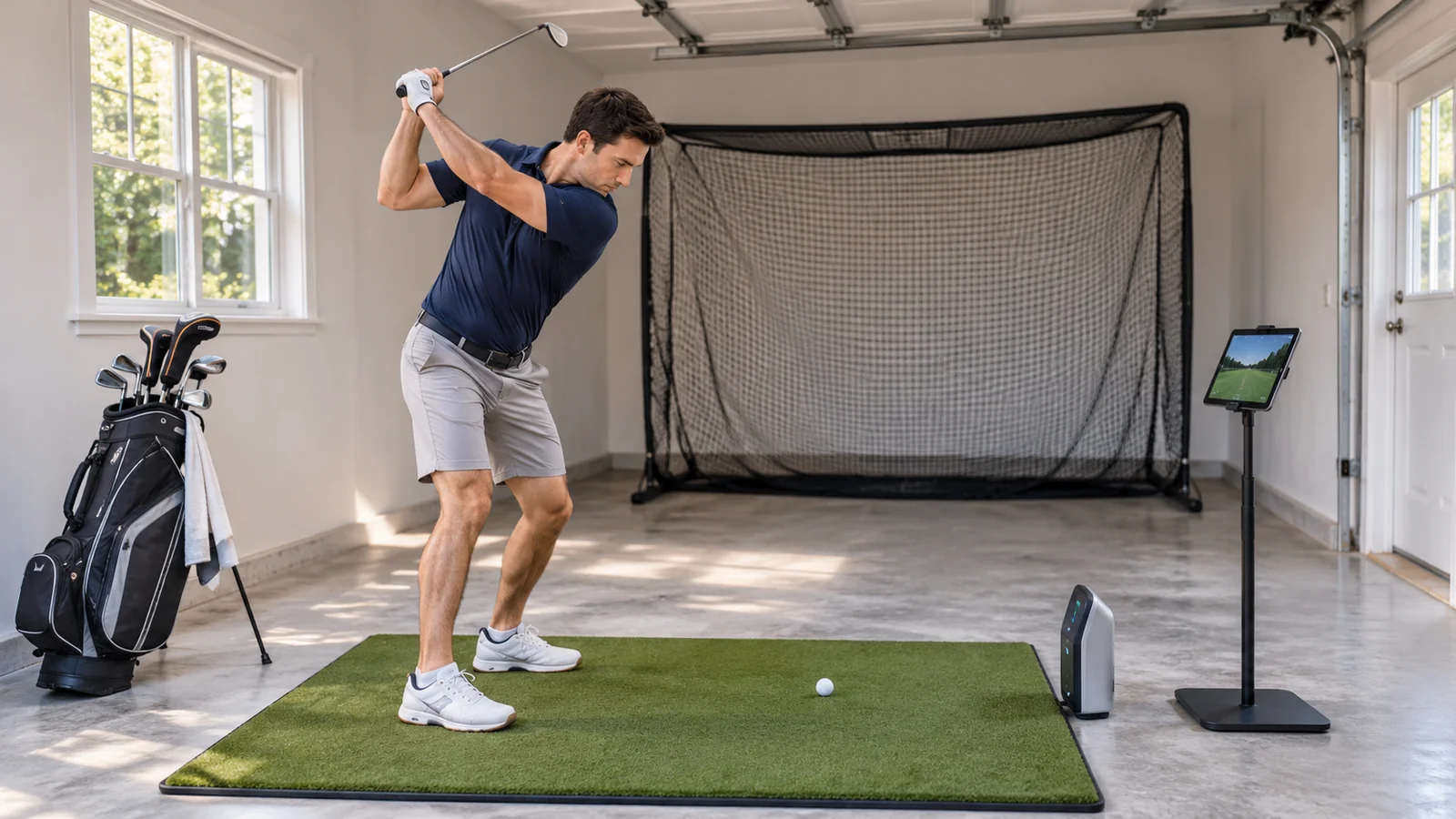
Compare the Best Launch Monitors Under $1,000
| Monitor | Best fit | Display and tracking | Simulator pathway | Main compromise | Check Price |
|---|---|---|---|---|---|
| Garmin Approach R10 | Versatile practice | Phone app; radar metrics | Home Tee Hero with membership; third-party terms vary | Requires radar depth | View on Amazon |
| Rapsodo MLM2PRO | Video and advanced analysis | Phone/tablet; radar + dual cameras | Membership-gated simulated courses and integrations | Recurring software cost | View on Amazon |
| Swing Caddie SC4 Pro | Standalone + occasional simulator | Built-in LCD and radar | Included E6 courses; expanded content may cost extra | Not a broad premium fitting platform | View on Amazon |
| Voice Caddie SC300i | Range sessions without a phone | LCD; radar; app optional | Not a full-course simulator | No dedicated simulation pathway | View on Amazon |
| Shot Scope LM1 | Simple club gapping | Color display; five core metrics | No full golf simulation | No spin/shot-shape view | View on Amazon |
| Swing Caddie SC200 Plus | Swing-speed and carry training | LCD, voice, remote | None | Limited number of metrics | View on Amazon |
| PRGR HS-130A | Basic speed-training feedback | On-device screen | None | Not a full flight monitor | View on Amazon |
Offer and setup check: The links identify the intended Amazon US models or bundles. Listing identity does not confirm current stock, seller, condition or eligibility for this budget. Only buy if the exact Amazon offer meets your requirements.
1. Garmin Approach R10 — Best Value for Range Practice and a Starter Simulator
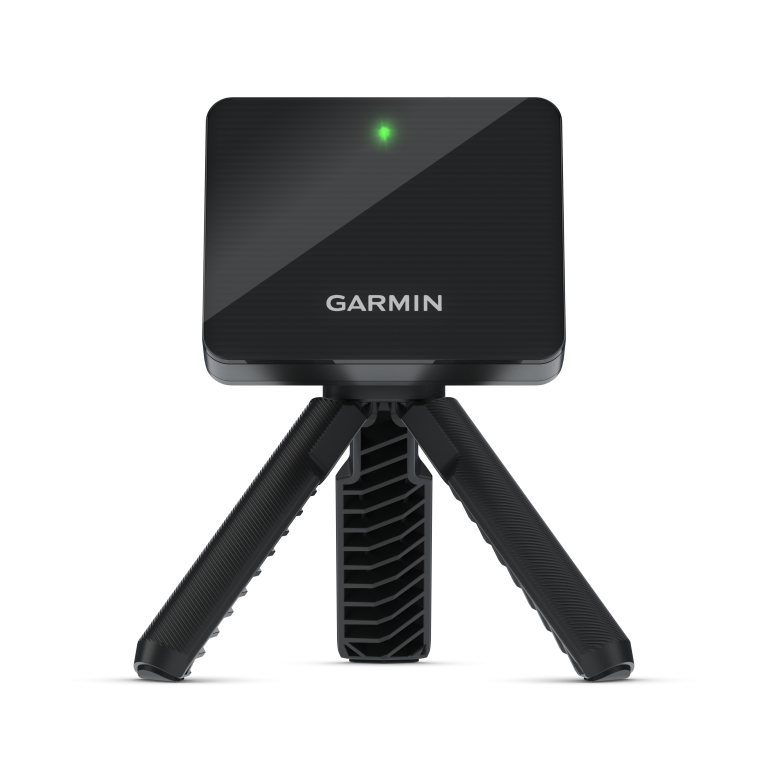
The Approach R10 is a useful middle ground between inexpensive speed monitors and sophisticated simulator systems. It gives golfers a broader picture of the shot than clubhead speed alone, including ball speed, launch direction and angle, carry, spin-related readings and several club-path metrics within Garmin Golf. Its portable enclosure, tripod and phone pairing make it realistic to use at a practice range one day and indoors the next.
The major deciding factor is space. Garmin’s setup guidance calls for the R10 to sit six to eight feet behind the ball, with at least eight feet of ball flight before the net or impact screen. In its indoor setup guide, Garmin separately lists a minimum indoor space of fifteen feet long, eight wide and eight high, but that is a baseline—not a promise that your full swing will safely fit. Obstacles, floor levels and radar interference can change the practicality of a garage setup.
The R10’s basic tracking and driving-range practice do not automatically require the same subscription as Garmin’s premium course simulator. As of 2026, the Home Tee Hero platform includes upgraded graphics and more than 43,000 courses, but its course-play experience requires an active Garmin Golf membership. Third-party packages can add separate charges. This makes the R10 attractive if you primarily want practice feedback and may explore a simulator later; the economics are different if virtual-course play is your only goal.
Advantages: broad metric selection for the price class; portable; useful practice and potential simulator upgrade path; published maker support for placement and troubleshooting.
Limitations: considerable rear-mounted radar space; phone/tablet dependence; potentially estimated spin with limited flight; membership for Home Tee Hero course play.
Who should buy it: the golfer with at least the recommended hitting depth who values a complete training system more than an on-device screen. Read the dedicated Garmin R10 review for exact setup steps and the distinction between measured and calculated data.
2. Rapsodo MLM2PRO — Best for Video-Based Swing Improvement
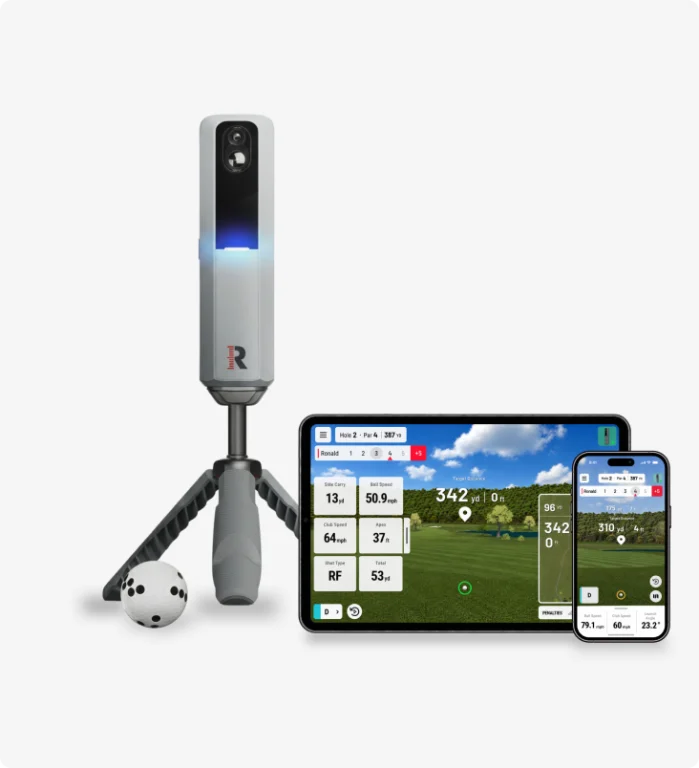
The MLM2PRO has a different appeal. It pairs radar processing with two cameras, including impact-focused imagery, so a user can examine what happened before and around contact rather than relying entirely on a final yardage. Golfers who take instruction, work on delivery changes or compare swing patterns across sessions may find this connection more useful than an extra number on a handheld screen.
Rapsodo requires compatible RPT golf balls for the monitored spin-rate and spin-axis measurements it advertises. Normal balls may still provide other practice readings, but buyers should not assume every ball supplies identical spin data. Updated club-path and attack-angle features also require correct ball placement and membership access. Rapsodo specifies 6.5–8.5 feet behind the ball, and at least eight feet of ball travel for indoor net use; its advanced club-data guidance makes careful leveling and alignment especially important.
Subscription costs are a crucial part of the purchase. Rapsodo’s current membership matrix distinguishes its free Practice features from a paid Core membership that unlocks advanced metrics and fuller simulator functionality. A separate Studios membership adds higher-end PC-based course experiences; both plans are presented as annual subscriptions. Check Rapsodo’s live membership matrix before buying. Some older pages still refer to a Premium membership and inconsistent trial durations, so the exact product/bundle entitlement should be checked during registration. We would not evaluate the MLM2PRO as a subscription-free full simulator.
Advantages: radar plus dual-camera review; advanced data with RPT balls and paid plan; structured practice modes; virtual golf pathway.
Limitations: significant ongoing cost for marquee functionality; needs a paired device; indoor alignment demands precision; branded ball requirements for measured spin.
Who should buy it: a golfer prepared to study video and pay for advanced analysis. If you simply need clubhead speed and carry without a recurring fee, start with the LM1 or a Swing Caddie model instead.
3. Voice Caddie Swing Caddie SC4 Pro — Best Built-In Screen with Simulator Features
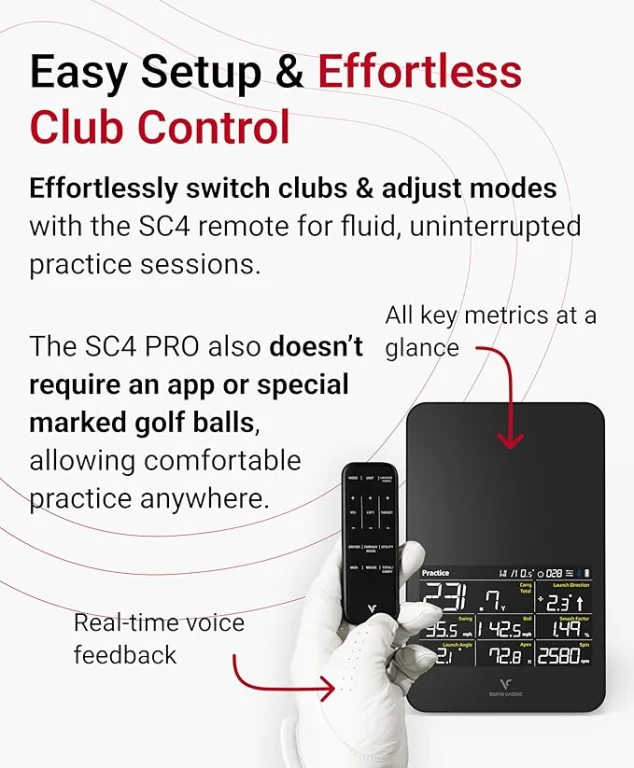
For many golfers, the biggest convenience is looking down at a screen on the device immediately after a shot. The SC4 Pro offers an integrated LCD and spoken feedback; neither a phone stand nor a bright outdoor phone display is essential for a simple range session. According to Voice Caddie’s comparison specifications, it delivers club and ball speed, carry, launch data, spin-related values and multiple modes, with optional use of its companion app.
The included simulator pathway is another advantage over the simpler SC300i and SC200 Plus. Voice Caddie says five E6 courses and a driving range are supplied on supported iOS and PC platforms; E6 is not compatible with Android in Voice Caddie’s published comparison. Further simulator packages may cost extra. Do not interpret an included starter experience as unlimited access to every E6, GSPro or other virtual course.
Voice Caddie’s setup advice positions the SC4 Pro about five feet behind the ball, with ten feet of ball travel recommended to the net. That is still a meaningful indoor footprint. Buyers should also confirm whether their intended tablet, PC, phone and third-party course package are compatible before buying an impact screen or projector.
Advantages: standalone LCD and audio readings; useful all-round practice features; included starter E6 experience; no required membership for ordinary SC4 Pro practice.
Limitations: simulator licensing beyond included content; rear-mounted radar depth; no dedicated impact camera; app and device compatibility must be checked.
Who should buy it: a range golfer who wants advanced enough metrics to keep improving but dislikes operating everything through a phone. The SC4 Pro may be the least disruptive option for frequent short sessions.
4. Voice Caddie SC300i — Best for Traditional Range Practice
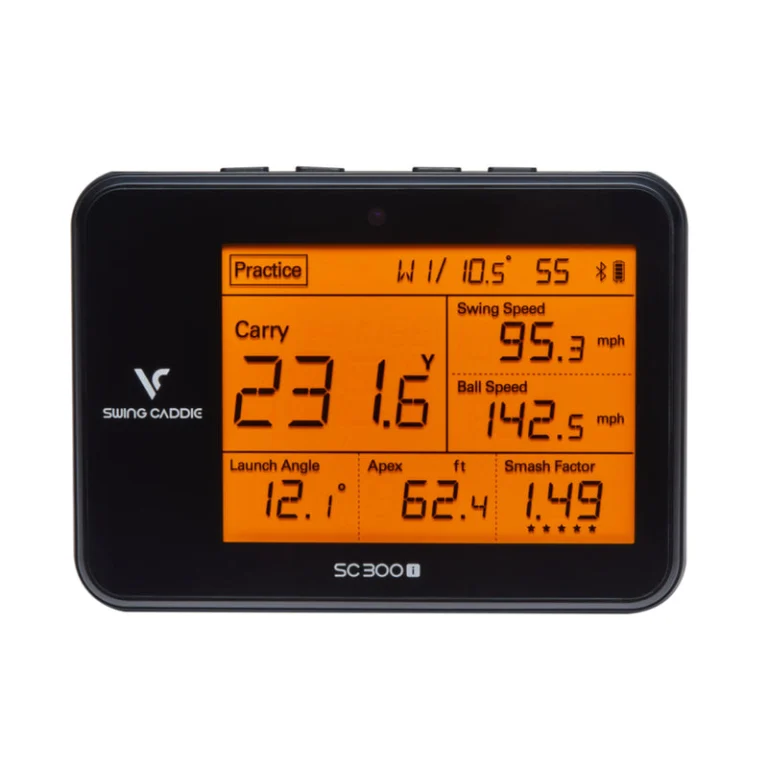
The SC300i makes sense when your definition of a launch monitor is a device that immediately reports speed, launch angle and carry after a shot, without needing to make a virtual golf course appear on a screen. Voice Caddie gives it a large LCD, distance announcements, a remote, Bluetooth and an optional MySwingCaddie app for additional history and in-app spin-related feedback.
The manufacturer specifies placement around five feet behind the ball on the same level as the hitting surface, and up to twenty hours of battery life depending on conditions. See its setup guidance for indoor-net positioning. The device is primarily a practice monitor rather than a home-simulator engine. A golfer who wants to play virtual rounds should budget for an SC4 Pro or a different simulator-compatible model rather than trying to force an SC300i into that role.
Advantages: independent display and voice feedback; launch angle and apex; optional app sessions; unusually convenient for a quick range visit.
Limitations: no full simulator integration; no premium camera views; detailed club-data needs are better served elsewhere.
Who should buy it: the player working on carry gaps, trajectory and consistent strike patterns who values easy on-device data more than software expansion.
5. Shot Scope LM1 — Best for Simple, Subscription-Free Numbers
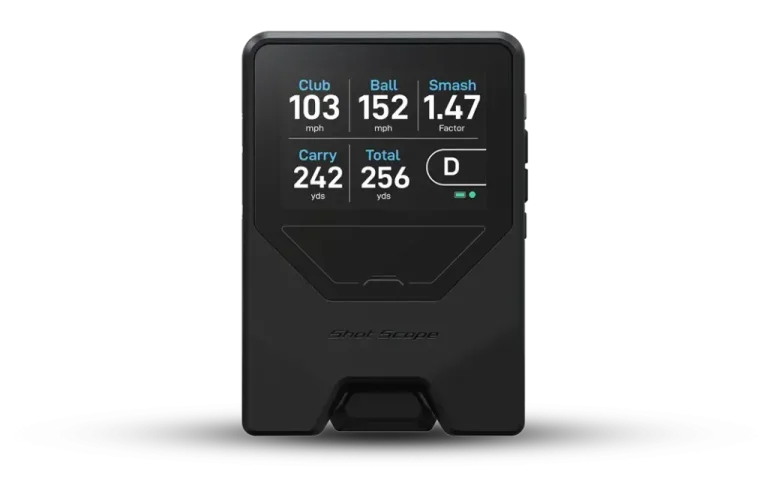
The LM1 focuses on five values: clubhead speed, ball speed, smash factor, carry distance and total distance. That narrow feature set is a strength for the right buyer. It offers a color display and session history through the Shot Scope app, with the manufacturer stating that a subscription is not required for the supported experience.
What it does not attempt is just as important. The LM1 does not measure a complete spin and launch-direction picture and is not designed to run a realistic home simulator. It is not the right choice for detailed equipment fitting or interpreting curvature. However, for a golfer who wants to compare average iron distances over several sessions, those core numbers can be enough to guide practice.
Advantages: direct display; app-supported history; no ongoing membership for its supported functions; limited learning curve.
Limitations: no advanced spin or club-path reports; no complete simulator play; radar conditions still affect readings.
Who should buy it: a budget-conscious golfer whose goals are club gapping, swing speed or basic shot consistency.
6. Swing Caddie SC200 Plus — Best for Ball-Free Speed Practice
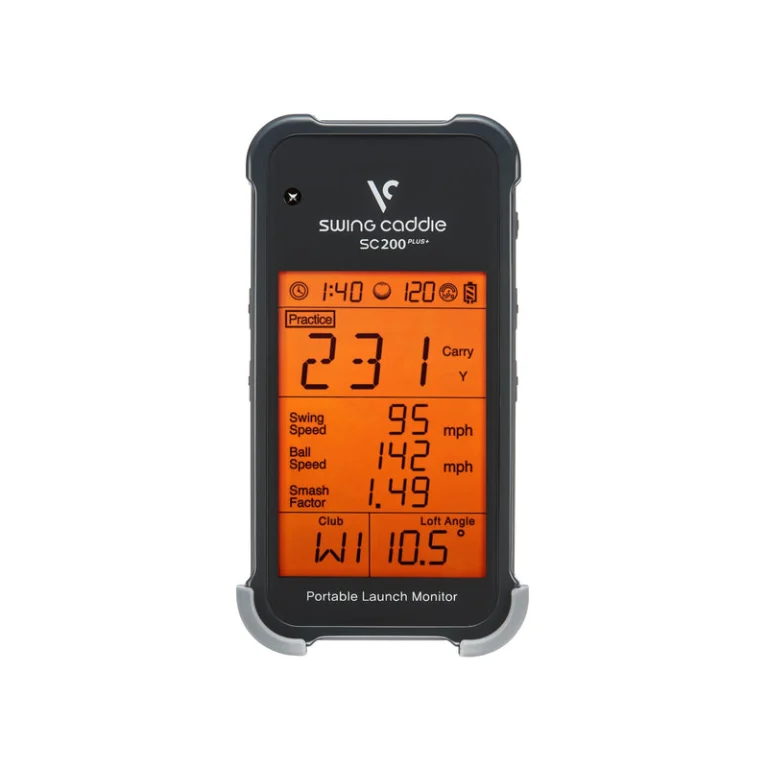
The SC200 Plus takes a stripped-back approach: carry, swing speed, ball speed and smash factor, plus an expressly designed practice-swing mode. This matters for someone following a speed-training routine on days when a range session is impossible. You can monitor speed with regular swings without insisting on a struck golf ball for every repetition, following the manufacturer’s operating guidance.
It runs on four AAA batteries, comes with a remote, and produces spoken feedback. Voice Caddie’s product specification places the device roughly five feet behind the ball. It does not offer the in-depth app analysis of the SC300i or the course-play functionality of the SC4 Pro. These are not missing features to be fixed later with a subscription: they are simply outside this product’s scope.
Advantages: quick setup; speed-training mode; no subscription pathway to manage; useful remote and voice readouts.
Limitations: reduced data set; no video, spin or simulation; not intended for complex shot-shape diagnostics.
Who should buy it: golfers prioritizing speed work or straightforward distance feedback over comprehensive analytics.
7. PRGR HS-130A — Best Basic Swing-Speed Training Aid
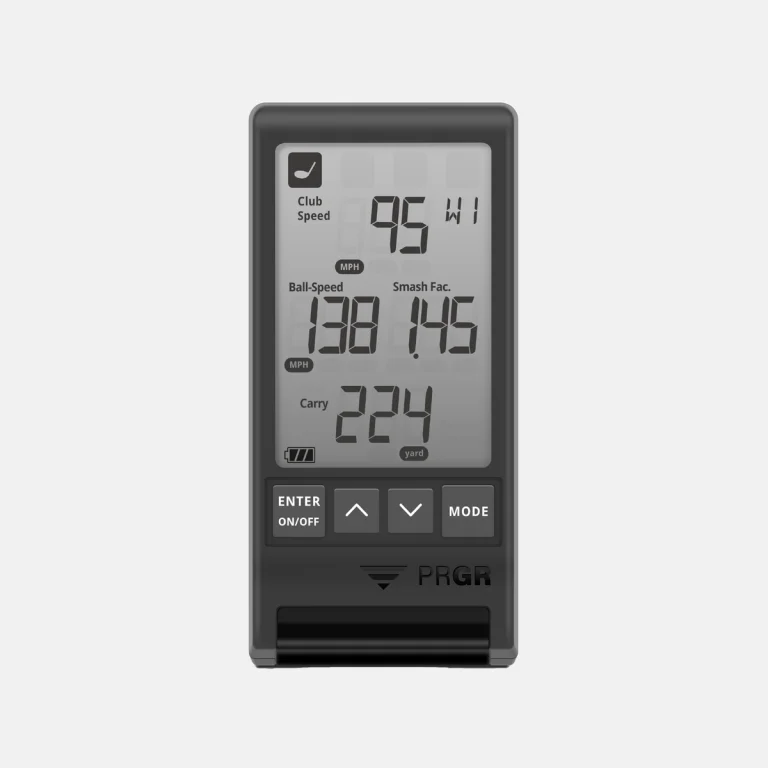
PRGR’s compact speed radar is designed for a simpler purpose than the R10 or MLM2PRO. It can show clubhead speed, ball speed and an estimated carry-related readout, making it useful for golfers who want to track changes through structured speed sessions without managing an app ecosystem. Its modest size and simple controls suit someone who prefers a quick practice tool rather than a simulated course.
The key is expectation management. PRGR is not a substitute for a radar system collecting fuller launch angle, spin axis and club-delivery information. It should be considered a training monitor, not a simulator purchase. Read the correct model designation carefully because several PRGR generations look similar and used/imported listings can differ from the current unit.
Advantages: lightweight, straightforward and relevant for speed goals; no membership dependency; simple feedback.
Limitations: limited full-flight analytics; no simulator; needs careful exact-model checking.
Who should buy it: the golfer already following a speed protocol who wants a basic numeric feedback tool.
The Four Purchase Questions That Matter More Than the Spec Count
What are you actually trying to improve?
If it is ball striking and carry gapping, a repeatable session with the LM1 or SC300i may be more useful than a feature-heavy dashboard. If you are changing club path or angle of attack in lessons, the R10 and MLM2PRO have more relevant analytical pathways. If the primary goal is virtual golf with friends, app and simulator support become nonnegotiable. Do not use a $1,000 budget as a reason to buy features you will never open.
Will the monitor fit where you intend to use it?
A radar unit behind the player consumes more depth than its own physical dimensions suggest. Add the monitor-to-ball requirement, ball-to-net requirement, room for the golfer’s swing, and safe clearance around the enclosure. The R10 needs six to eight feet behind plus at least eight feet forward; the Rapsodo needs roughly the same overall footprint for many modes. The SC4 Pro sits closer behind the ball but Voice Caddie generally recommends a longer ball flight. A device advertised as portable is not automatically appropriate for an eleven-foot garage.
Which features are free and which require payment?
This is the most overlooked difference. The R10 can be used for basic practice without subscribing to all its virtual-course services. The Rapsodo MLM2PRO reserves important advanced metrics and simulated experiences for membership customers. The SC4 Pro, SC300i, LM1, SC200 Plus and PRGR provide useful supported practice without a recurring monitoring fee, but simulator ecosystems or third-party content can still cost money. Compare the exact feature you will use, not a marketing headline such as “subscription-free.”
Are you comparing the right product version?
One listing may include a launch monitor only, another a refurbished unit, another a simulator software trial, and another a net. Some families have similarly named models with radically different capabilities. Check model name, warranty, US seller, included equipment, software term and delivery charges before buying. This is especially important near the $1,000 threshold when a bundled package may exceed your cap.
A Practical Budget Decision Framework
Start by writing one sentence: “I want this unit to tell me ______ after every shot.” If the blank is clubhead speed, carry, or ball speed, prefer the simplest monitor that accomplishes it. If it is detailed impact or spin data, check which metrics are genuinely measured, which are calculated, and whether special balls are required. If it is a virtual golf course, start by checking simulator compatibility, license fees and room depth rather than hardware price.
Then add accessory costs. Golf balls, mats, nets, an alignment aid and a safe hitting area can easily become the difference between a useful purchase and an unused device. Extra software, an iOS device or a PC may be needed for the experience you envision. Do not assume a stand-alone device’s sale price is your complete simulator budget.
Finally, check return policies. Practice monitors are sensitive to environment, so a reasonable return window is particularly valuable if you need to confirm your room, lighting or nearby metal objects will not disrupt accurate measurement.
If the exact selected offer exceeds your ceiling, compare the under-$500 shortlist rather than treating an old sale as the normal price. The software cost guide separates free practice from paid simulator features.
QUICK ANSWERS
Frequently Asked Questions
Select a question to reveal its answer.
Is a launch monitor under $1,000 accurate enough for practice?
For basic carry and speed trends, these monitors can be useful when installed correctly. Accuracy depends on device, distance, ball type, shot and environment. They are not interchangeable with premium fitting systems, and it is better to look for consistent multi-shot trends than obsess over one number.
Can I use one indoors with a net?
Often yes, but only when the manufacturer’s monitor placement, ball flight, mat height and safety clearance requirements are satisfied. A net alone does not make an indoor setup safe or accurate. If the room is too short for the intended radar system, choose a different class of hardware rather than placing it closer than the maker recommends.
Do I need a premium golf ball?
Not for every basic metric. However, Garmin supports Titleist RCT for improved indoor radar spin capture, while Rapsodo specifies RPT-marked balls for measured spin rate and spin axis. Use the precise golf-ball guidance for the model and feature you actually need.
Should beginners buy the most expensive model they can afford?
Not necessarily. A simple device showing ball speed and carry can support productive practice. Spend more when you can identify a specific additional decision that advanced data will help you make.
Which of these can be used without paying a monthly fee?
Several provide their basic practice features without subscriptions. The important distinction is whether your intended use—ordinary numbers, detailed spin, simulator courses or partner software—is covered. The subscription-free guide compares these trade-offs separately.